Page 8 of 10
Re: Newbie Problem - impossible to enter numbers in the sub-tracks (Chance, velocity,...)
Posted: 05 Feb 2026 13:33
by kjetil
Fun fact: I have always personally used US intl. keyboard layout myself to avoid problems like these in other programs, even though I often need to write scandinavian letters. Unfortunately this choice probably makes me less likely to notice problems with locale settings in my own software.
Re: Newbie Problem - impossible to enter numbers in the sub-tracks (Chance, velocity,...)
Posted: 05 Feb 2026 15:02
by elode
Yes, I have sometimes been tempted as well... But I am a typographer and graphic designer. And it turns out that the FR AZERTY layout is just a modification of the QWERTY layout. Which means that all the letters normally necessary for entering the French language are not present… Alas!
As I like the beautiful typography, I therefore opted for the "BÉPO" layout, a layout designed specifically for French, which allows very careful typography.
I don’t see a link to download the new version of Radium. But maybe it’s not finished yet

Re: Newbie Problem - impossible to enter numbers in the sub-tracks (Chance, velocity,...)
Posted: 05 Feb 2026 15:22
by elode
Ho! Sorry, I just saw the link...
I’ll try that.
Re: Newbie Problem - impossible to enter numbers in the sub-tracks (Chance, velocity,...)
Posted: 05 Feb 2026 15:29
by elode
There must be an error. The version I just downloaded does not have the new options.
See :
- Copie d'écran_20260205_162652.png (153.71 KiB) Viewed 120 times
Re: Newbie Problem - impossible to enter numbers in the sub-tracks (Chance, velocity,...)
Posted: 05 Feb 2026 17:05
by kjetil
Re: Newbie Problem - impossible to enter numbers in the sub-tracks (Chance, velocity,...)
Posted: 05 Feb 2026 17:52
by elode
Sorry, it still doesn’t work, regardless of the option or options checked, and regardless of the keyboard layout (QWERTY, BÉPO, FR)… (Gasp !)
Re: Newbie Problem - impossible to enter numbers in the sub-tracks (Chance, velocity,...)
Posted: 06 Feb 2026 11:02
by kjetil
Sorry again, I didn't test it. I should have tested it, but I'm doing too much at the same time.
I'm very confident that this one should work though, crossing fingers (same link):
https://radium.dog/radium_64bit_linux-7.5.77.tar.xz
Re: Newbie Problem - impossible to enter numbers in the sub-tracks (Chance, velocity,...)
Posted: 06 Feb 2026 15:38
by elode
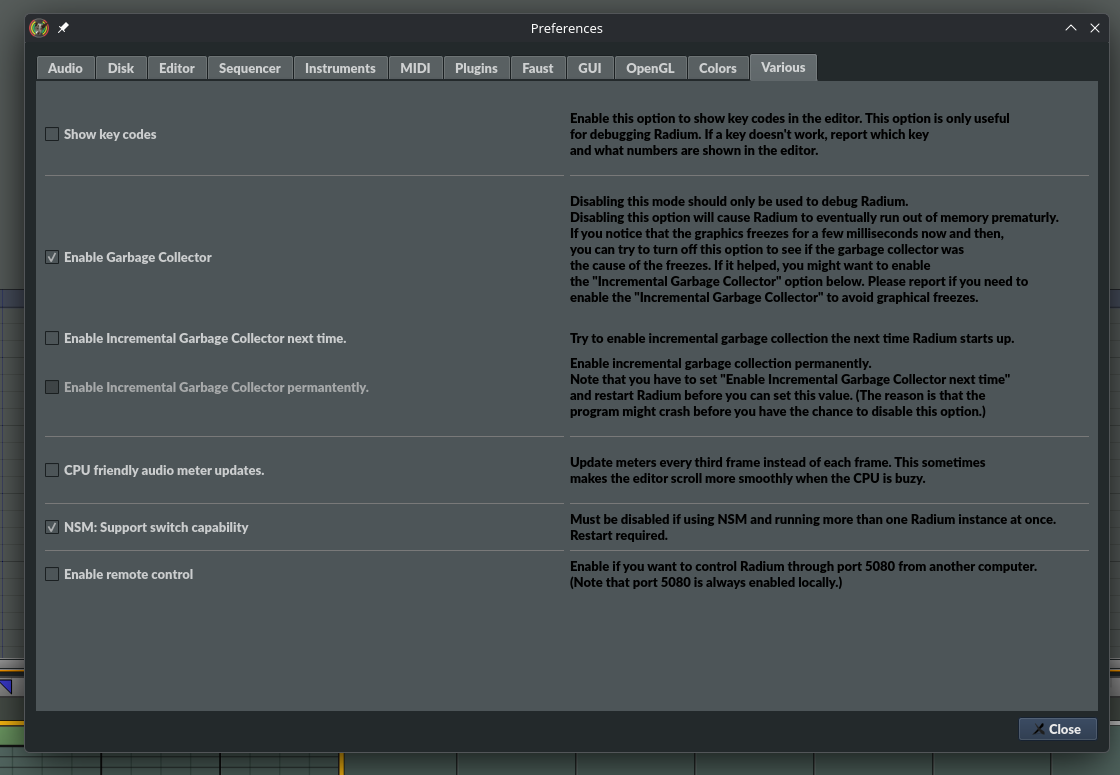
Hey! It seems to work with this option:

- Copie d'écran_20260206_163058.png (46.99 KiB) Viewed 105 times
Well... I just have to learn a little bit about using the beast
)
I will keep you informed as and when, of my reflections, possible problems and suggestions.
Thank you very much for your work,
Xavier
Re: Newbie Problem - impossible to enter numbers in the sub-tracks (Chance, velocity,...)
Posted: 06 Feb 2026 15:59
by elode
Well... it seems that the keyboard shortcuts (Ctrl+s, alt+y, ctrl+z,...) do not work, and this regardless of the layout (QWERTY, BÉPO, FR).
On the other hand, in the column "volocity", if I type by mistake a letter other than "abcdef", for example "q", it modifies the line note (for example, by typing "q" in the velocity, the note becomes C-4).
Re: Newbie Problem - impossible to enter numbers in the sub-tracks (Chance, velocity,...)
Posted: 12 Feb 2026 17:24
by kjetil
elode wrote: ↑06 Feb 2026 15:59
Well... it seems that the keyboard shortcuts (Ctrl+s, alt+y, ctrl+z,...) do not work, and this regardless of the layout (QWERTY, BÉPO, FR).
I can not reproduce this.
On the other hand, in the column "volocity", if I type by mistake a letter other than "abcdef", for example "q", it modifies the line note (for example, by typing "q" in the velocity, the note becomes C-4).
That's how it works. I guess it can be annoying though.